How Your Reports Become Records
When you text Daniel with an update from your yard — "N5 emerged this morning!" — that message starts a journey through three interconnected forms that build a complete picture of every queen in the CCBA project. Here's how it all connects.
The Frosty Meadow database tracks every queen from the moment she is grafted to the moment she is sold or retired. Each piece of information you report — an emergence date, a laying confirmation, a behavior observation — gets recorded in one of three forms that are all linked together. Understanding how they connect helps you understand why using the queen's assigned number (N3, N5, N7, etc.) is so important for accurate record-keeping.
The Data Flow — From Your Text to the Dashboard
📷 You Send a Field Report
It starts with you. When you check on your nuc and notice something important — the queen cell has opened, you spotted eggs, or you saw the queen herself — you text or call Daniel with the news.
This is the raw data that drives the entire system. The more specific you can be, the better the record. Using the queen's assigned number (N3, N5, N7 etc.) and the date makes logging fast and accurate.
👑 Queens Form — The Queen's Permanent Record
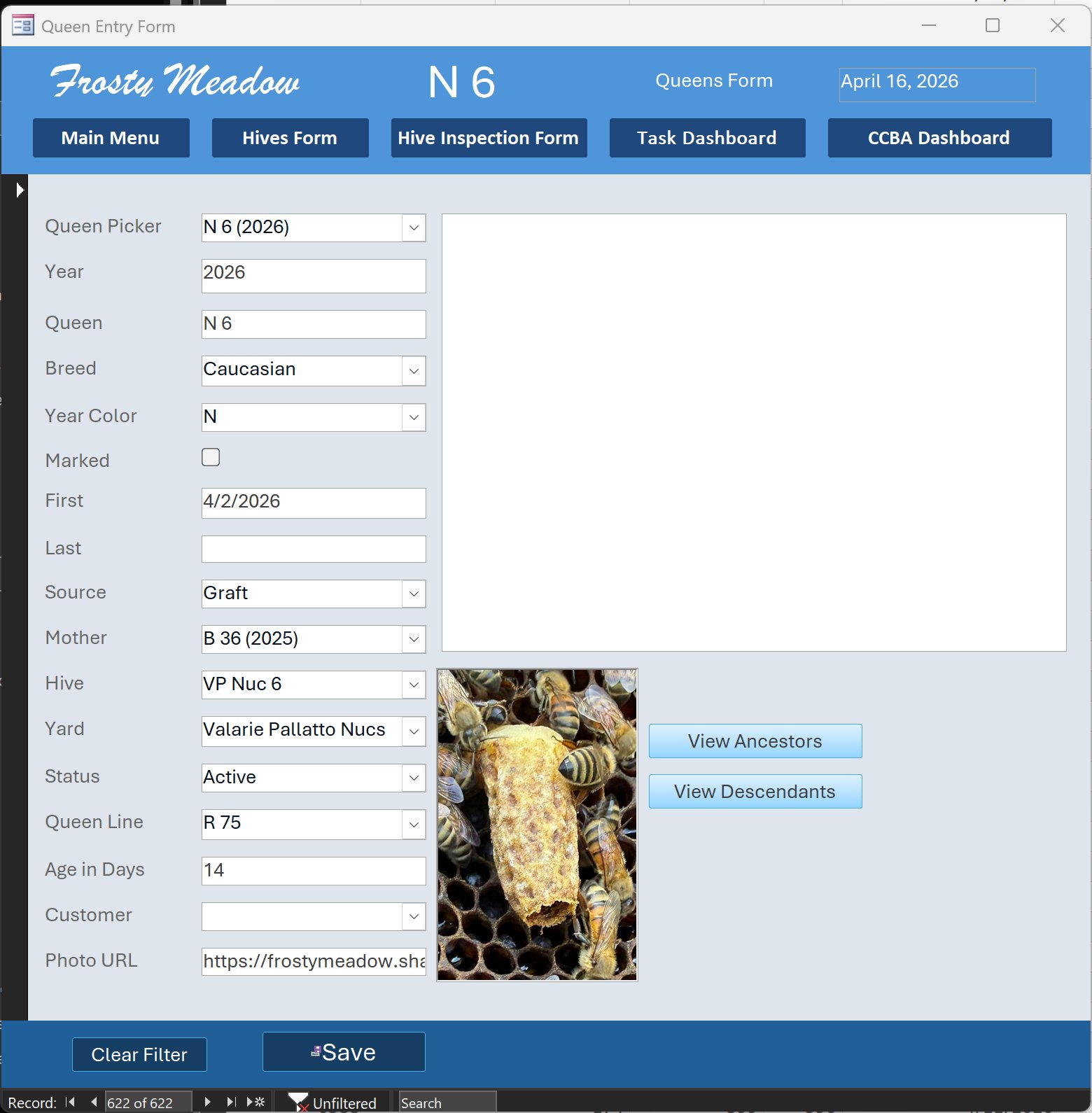
Every queen in the project has her own record in the Queens Form. This is her permanent identity card — it doesn't change inspection to inspection. It holds the stable facts about who she is:
Her name (N6), her breed (Caucasian), her year color (N for 2026), her mother queen (B36), her queen line (R75), which hive and yard she lives in, and her current status (Active, Mating, Sold, etc.). Her photo lives here too — you can see the can-opened cell photo attached to N6's record.
🏗 Hive Entry Form — The Physical Home
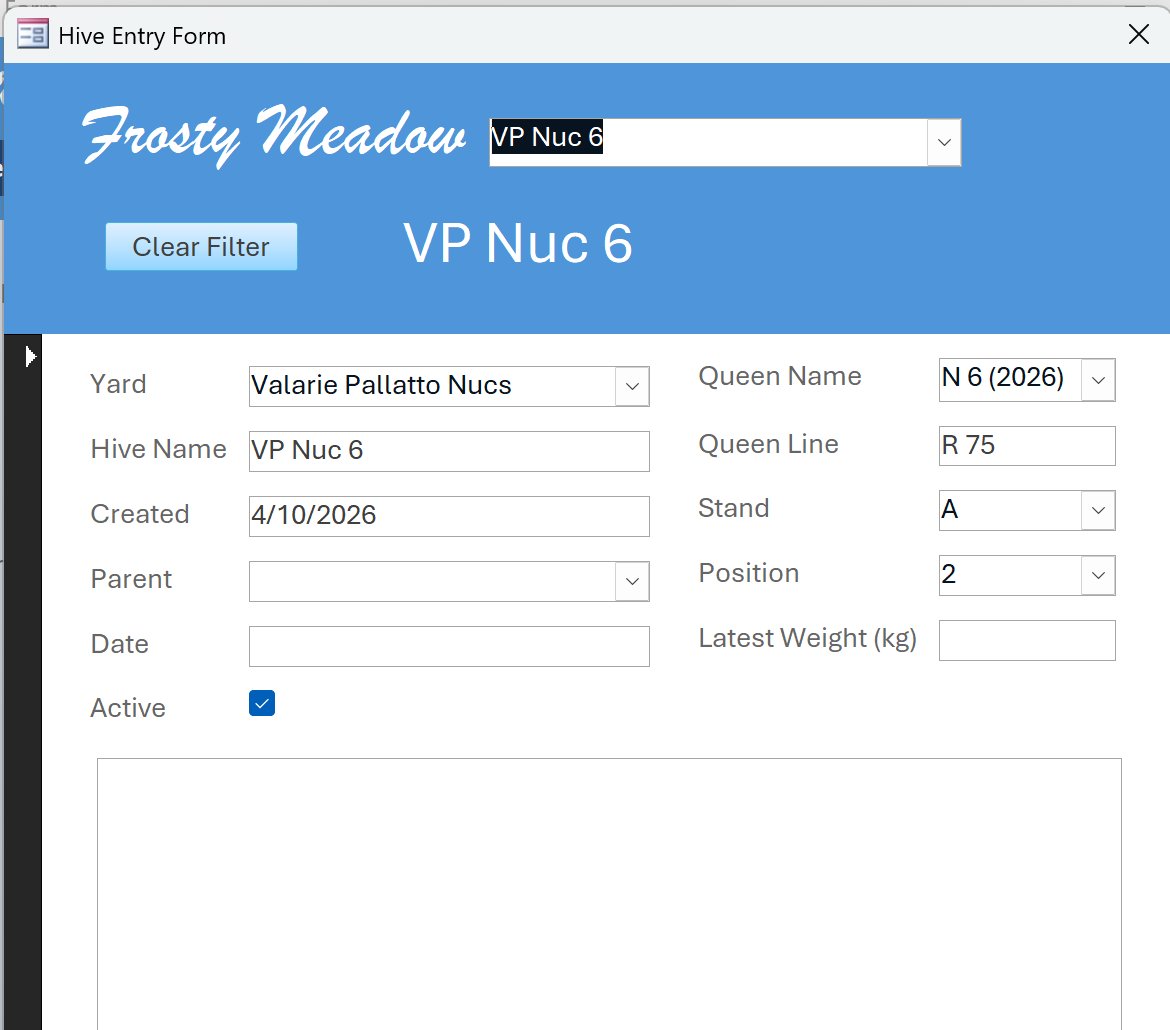
The Hive Entry Form tracks the physical box — VP Nuc 6 — where N6 lives. It records which yard the hive is in, which stand and position it occupies, which queen is currently in residence, and the hive's queen line.
The Hive Form links the queen to her physical location. This is how the system knows that N6 is on Stand A, Position 2, in Valarie Pallatto's yard — critical information if Daniel needs to find her quickly during an inspection.
📋 Inspection Form — What Happened Today
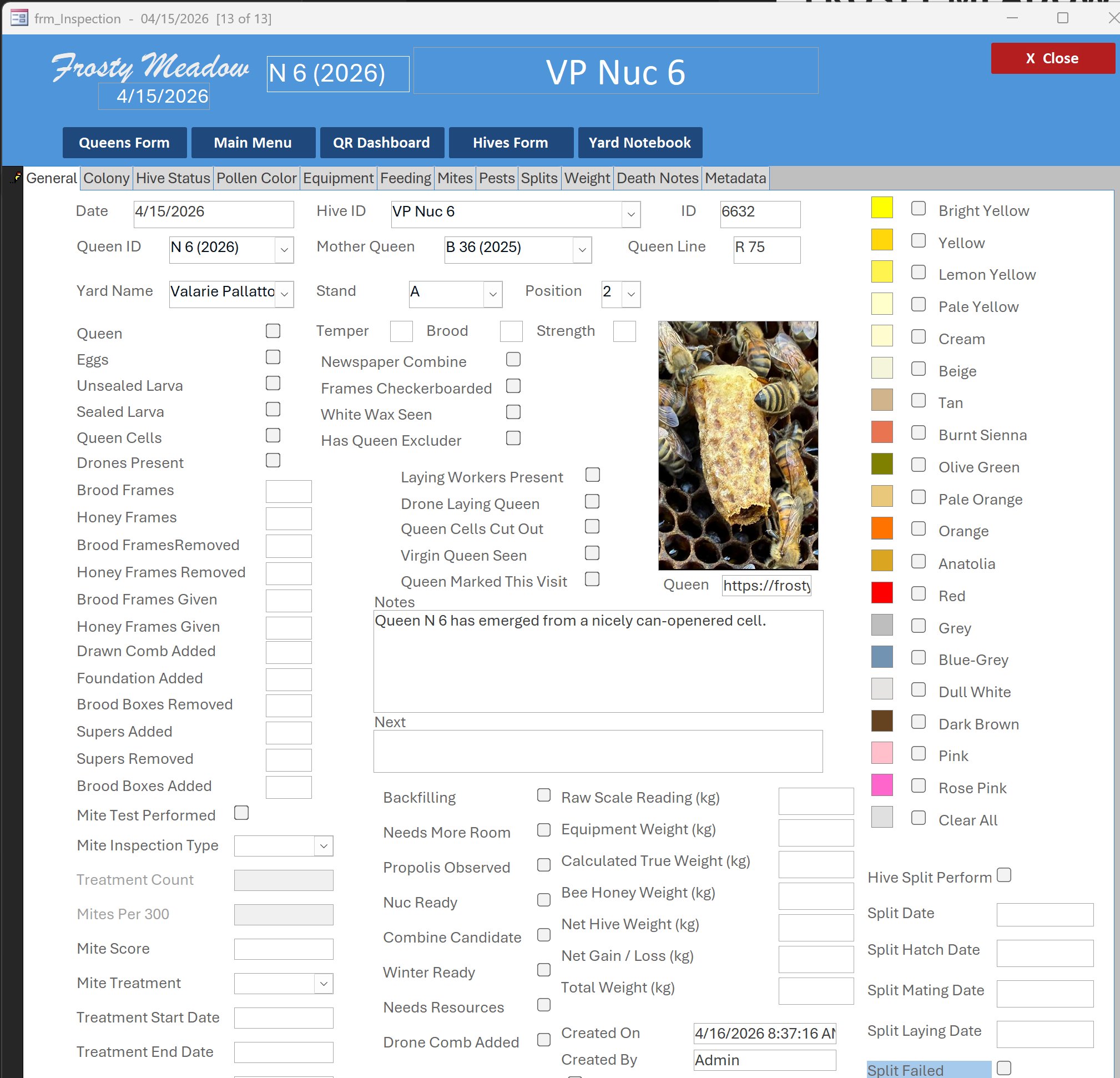
The Inspection Form is where your field report lands as a formal record. Every visit to a hive — or every report you send in — generates an inspection entry. It pulls in the queen ID, the hive ID, and the yard automatically, then records what was observed on that specific date.
This is the form that captures the story over time: when did she emerge, when were eggs first seen, how does her brood pattern look, how strong is the colony. Each inspection builds on the last, creating a complete history.
Notice that the inspection for VP Nuc 6 on 4/15/2026 shows the Queen ID as N6 (2026), the Mother Queen as B36, the Queen Line as R75 — all pulled automatically from the Queens Form and Hive Form. Your one text message fills in the Notes field and triggers the entire chain.
📊 CCBA Dashboard — The Big Picture
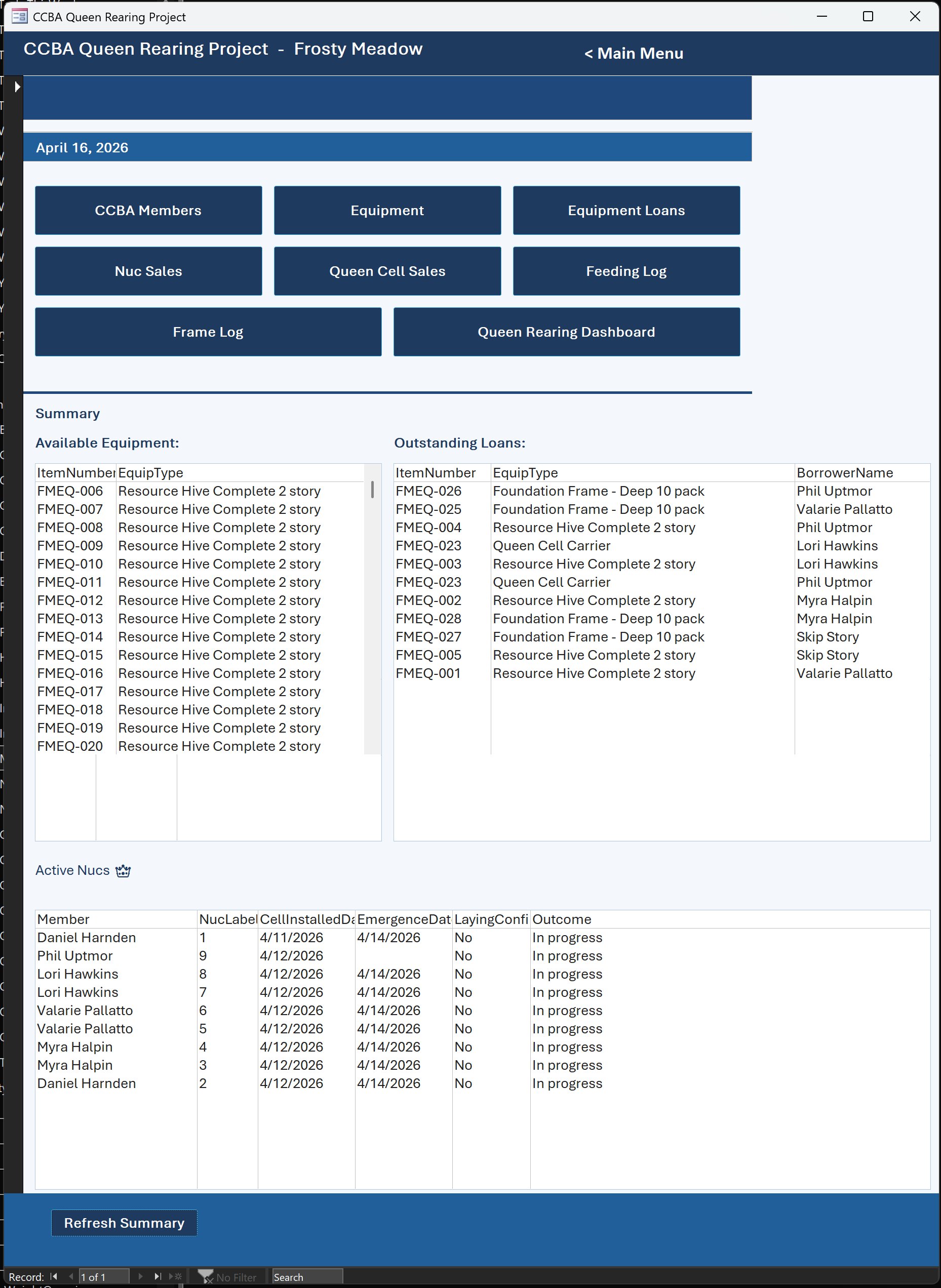
Once the inspection is saved, the data flows immediately into the CCBA Queen Rearing Dashboard. This is the command centre — it pulls together every project nuc across all member yards and shows Daniel (and you, if you visit the project page) the status of every queen at a glance.
The dashboard answers the key questions automatically: Which queens have emerged? Which are still in mating flights? Which nucs have confirmed laying? Which are ready for sale? All of this comes directly from the records you help create with your field reports.
Active Nucs
Every nuc currently in the project — each showing member name, nuc label, cell install date, emergence date, and laying status.
Nucs Ready for Sale
Automatically populated when a nuc's queen has confirmed laying and the colony is strong enough to sell.
Equipment Loans
Tracks which equipment — queen cell carriers, resource hives, foundation frames — is currently on loan to which member.
Pending Reimbursements
Feeding logs and expenses that have been recorded but not yet reimbursed to the member hosting the nuc.
At a Glance — The Full Flow
📚 What This Means for You as a Member Host
- Always use the queen's assigned number (N3, N5, N7, etc.) when you text an update — it's how Daniel links your report to the right record instantly.
- Include the date whenever you report an event — emergence, first eggs, any problems. The inspection form is date-stamped and the timeline matters.
- Short texts are fine — "N7 emerged today, nuc looks great" is all Daniel needs. He fills in everything else from the linked forms.
- Photos help enormously — especially of emerged cells, laying pattern, or anything unusual. They get attached directly to the queen's record as you've seen with Valarie's beautiful cell photos.
- Your reports drive the website — when Daniel logs your update, the CCBA Project page at frostymeadow.com updates automatically with the latest status for your queens.